


📚 Power Apps Canvas Functions — Complete Series
- Part 1 — Text Functions
- Part 2 — Number & Math Functions
- Part 3 — Logical & Conditional Functions
- Part 4 — Table & Record Functions (this post)
- Part 5 — Date & Time Functions
- Part 6 — Navigation, App Control & Forms
- Part 7 — Variables, Collections & Data Sources
- Part 8 — Color, Type Conversion, AI & Signals
- Part 9 — Utility, Testing & Context Keywords
- Part 10 — Master Index, Delegation Table & Performance Patterns
Table & Record Functions
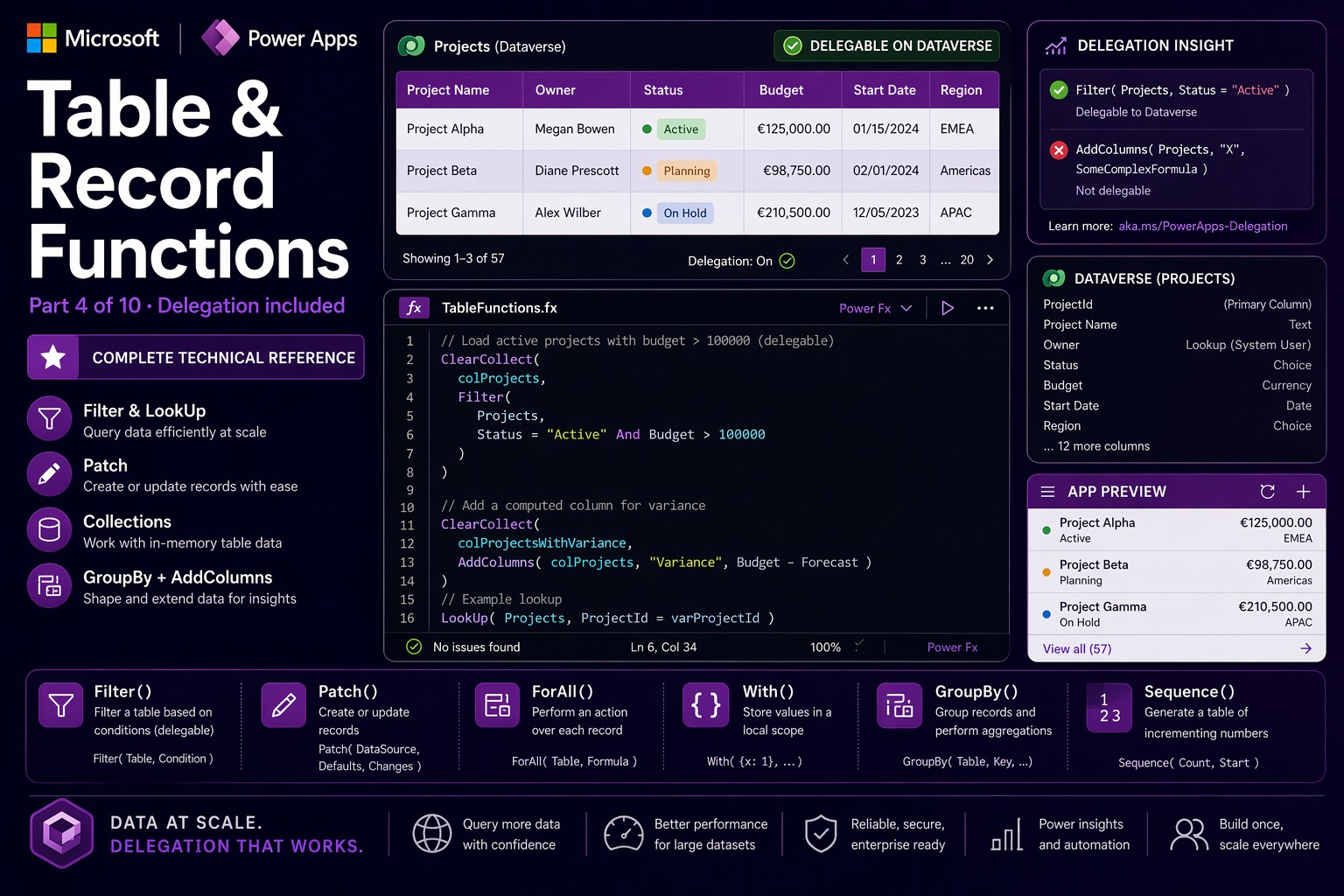
This is the most delegation-sensitive section in the entire guide. Every function here either reads from or writes to a data source — and whether that operation scales to millions of rows or silently fails at 500 records depends entirely on which functions you choose and how you compose them.
Three concepts are worth defining before the functions start.
📌 Three concepts that matter in this section
Delegation — when Power Apps evaluates a formula against Dataverse or SharePoint, it tries to delegate the work to the server. When a function is not delegable, Power Apps fetches up to 500 rows (max 2000) locally and applies the formula there — silently returning incomplete results on large tables. Every function in this section notes its delegation status explicitly.
Collections vs. data sources — a collection is an in-memory table that lives inside the app for the session. It has no size limit, supports every function without delegation concerns, and resets when the app closes. Load data from a remote source with ClearCollect, then operate on the collection freely.
Records vs. tables — a record is a single row. A table is a collection of records. Most functions return a table; LookUp returns a record. Patch accepts either. Understanding which type a function returns prevents a large class of type-mismatch errors.
Filter
Filter(table: Table, condition1: Boolean, condition2?: Boolean, ...) → TableReturns a subset of a table containing only the rows where all specified conditions are true. Multiple conditions are implicitly combined with AND. Filter is the most-used function in data-driven Canvas Apps — the foundation of every gallery, dropdown, and search result.
Delegation: Filter itself delegates. Which operators are delegable depends on the data source. For Dataverse: =, <>, <, >, <=, >=, And, Or, Not, StartsWith, IsBlank are delegable. Contains and the in operator are not delegable. For SharePoint: =, <>, <, > on indexed columns are delegable; Contains and aggregates are not. Blue underlines in the formula bar = delegation warning.
Filter(Orders, Status = "Active", Region = "EU")— active EU orders, both conditions as ANDFilter(Products, Price <= Budget, Stock > 0)— affordable in-stock itemsFilter(Tasks, AssignedTo = User().Email)— current user’s tasks (delegable on Dataverse)Filter(Contacts, StartsWith(LastName, SearchBox.Text))— prefix search (delegable)
⚠️ Watch out: The most dangerous delegation failure appears to work perfectly in development (test data under 500 rows) but silently returns incomplete results in production (real data over the limit). Always test with representative data volume and check for blue underlines. When in doubt: load data into a collection first, then filter the collection.
🔗 Works well with — Filter + Gallery — multi-condition live search and filter bar
The standard enterprise gallery pattern. Three simultaneous conditions that degrade gracefully when not set.
// Gallery Items — three simultaneous filters, all delegable on Dataverse:
Filter(
  Projects,
  // Text search — StartsWith is delegable:
  Or(
    IsBlank(SearchBox.Text),
    StartsWith(Title, SearchBox.Text),
    StartsWith(ClientName, SearchBox.Text)
  ),
  // Category filter — "All" = show everything:
  Or(CategoryFilter.Selected.Value = "All", Category = CategoryFilter.Selected.Value),
  // Owner filter:
  Owner = User().Email
)
🔗 Works well with — Filter + ClearCollect — load a delegable subset, then work locally
// Screen OnVisible — delegable load, then non-delegable operations on the collection:
ClearCollect(
  colRecentOrders,
  Filter(
    Orders,
    OrderDate >= DateAdd(Today(), -90, TimeUnit.Days),  // delegable
    AssignedTo = User().Email                            // delegable
  )
);
// Now non-delegable operations work fine on the collection:
Set(varTotalRevenue, Sum(colRecentOrders, LineTotal));
Set(varAvgOrderSize, Round(Average(colRecentOrders, LineTotal), 2))
LookUp
LookUp(table: Table, condition: Boolean, formula?: Any) → Record | AnyReturns the first record satisfying a condition, or a specific field from it when an optional formula is provided. The single-record equivalent of Filter. Returns Blank() on no match — not an error. Delegation: same rules as Filter. The optional third argument is evaluated locally after the record is returned.
LookUp(Customers, ID = SelectedID)— returns the full customer recordLookUp(Customers, ID = SelectedID, Email)— returns just the email fieldLookUp(PriceTiers, MinQty <= OrderQty And MaxQty >= OrderQty, UnitPrice)— tier lookupLookUp(AppSettings, Key = "MaxApprovers", Value)— read a config value
⚠️ Watch out: LookUp returns Blank() on no match — no error, no warning. Accessing a field on a blank record (LookUp(...).FieldName when nothing is found) returns blank silently, which can mask logic bugs for a long time. Always guard: Coalesce(LookUp(...), "default") for scalars, or IsBlank(LookUp(...)) before accessing fields.
🔗 Works well with — LookUp + With — auto-populate a form when a dropdown selection changes
With ensures the LookUp runs exactly once — not once per field being populated.
// Customer dropdown OnChange:
With(
  {cust: LookUp(Customers, ID = CustomerDropdown.Selected.ID)},
  If(
    Not(IsBlank(cust)),
    UpdateContext({
      locContactName:  cust.PrimaryContact,
      locPhone:        Coalesce(cust.Phone, "No phone on file"),
      locAddress:      cust.BillingAddress,
      locCreditLimit:  cust.CreditLimit
    }),
    UpdateContext({locContactName: "", locPhone: "", locAddress: "", locCreditLimit: 0})
  )
)
// With(): LookUp runs once — result reused for four field updates
Sort / SortByColumns
Sort(table: Table, formula: Any, order?: SortOrder) → Table
SortByColumns(table: Table, columnName1: Text, order1?: SortOrder, ...) → Table
Sort orders a table by evaluating a formula for each row. SortByColumns sorts by one or more named column strings — simpler syntax and often delegable where Sort is not. Delegation: Sort is generally not delegable. SortByColumns is delegable for Dataverse and SharePoint when sorting by a supported column. Always prefer SortByColumns for large datasets.
Sort(Products, Price, SortOrder.Descending)— most expensive first (not delegable)SortByColumns(Contacts, "LastName", SortOrder.Ascending, "FirstName", SortOrder.Ascending)— delegable multi-column sortSortByColumns(Tasks, "cr_priority", SortOrder.Ascending, "cr_duedate", SortOrder.Ascending)— Dataverse logical column names
⚠️ Watch out: SortByColumns takes column names as text strings — "LastName", not LastName. For Dataverse, use the logical column name (e.g., "cr_lastname"), not the display name. Check logical names in the Dataverse table editor — they always carry a publisher prefix. A typo or wrong case produces a runtime error with an unhelpful message.
🔗 Works well with — SortByColumns + Filter — delegable sorted filter on a large Dataverse table
// Gallery Items — both operations delegate to Dataverse:
SortByColumns(
  Filter(
    Opportunities,
    Stage = StageFilter.Selected.Value,
    Owner = User().Email,
    CloseDate >= Today()
  ),
  "cr_closedate",
  SortOrder.Ascending
)
🔗 Works well with — SortByColumns + Toggle — user-controlled sort direction
// Sort toggle button OnSelect:
UpdateContext({locSortAscending: !locSortAscending})

// Gallery Items:
SortByColumns(
  colProducts,
  "cr_unitprice",
  If(locSortAscending, SortOrder.Ascending, SortOrder.Descending)
)
Collect / ClearCollect / Clear
Collect(collection: Collection, item: Record | Table, ...) → Collection
ClearCollect(collection: Collection, item: Record | Table, ...) → Collection
Clear(collection: Collection) → Void
Collections are in-memory tables that exist for the app session. No size limit. Every Power Fx function works on them without delegation concerns. They reset when the app closes. The most powerful caching and state management tool in Canvas Apps.
Collect— appends records to an existing collection (or creates it). Does not deduplicate.ClearCollect— replaces all contents (clears first, then loads). The standard way to refresh from a data source.Clear— empties the collection without adding anything.
Collect(CartItems, {ProductID: prod.ID, Name: prod.Name, Qty: 1, Price: prod.Price})— add to cartClearCollect(colProducts, Filter(Products, IsActive = true))— load active productsClear(colSelectedItems)— empty the selection
⚠️ Watch out: Collect does not prevent duplicates — calling it twice with the same record creates two copies. For deduplication, check first: IsEmpty(Filter(col, ID = newItem.ID)), then collect. Also, collections persist between screen navigations — a cart that persists is a feature; stale data that persists is a bug. Be intentional about when you clear vs. append.
🔗 Works well with — ClearCollect + Concurrent — the fastest app startup pattern
Load five collections in parallel. Total time equals the slowest single call — not the sum of all five.
// App.OnStart — all five load simultaneously:
Concurrent(
  ClearCollect(colUserProfile,   LookUp(Employees, Email = User().Email)),
  ClearCollect(colProducts,      Filter(Products, IsActive = true)),
  ClearCollect(colCustomers,     Filter(Customers, AssignedRep = User().Email)),
  ClearCollect(colStatusOptions, StatusOptions),
  ClearCollect(colAppConfig,     Filter(AppSettings, AppName = "SalesApp"))
);
Set(varAppReady, true)  // shows the app once all data is ready
🔗 Works well with — Collect — multi-select gallery with selection basket
// Gallery item OnSelect — toggle in/out of selection:
If(
  IsEmpty(Filter(colSelectedItems, ID = ThisItem.ID)),
  Collect(colSelectedItems, ThisItem),
  Remove(colSelectedItems, LookUp(colSelectedItems, ID = ThisItem.ID))
);

// Gallery template border — purple when selected:
If(
  Not(IsEmpty(Filter(colSelectedItems, ID = ThisItem.ID))),
  RGBA(114, 39, 116, 1),
  RGBA(200, 200, 200, 1)
)

// "Apply to selected" button Text:
"Apply to " & CountRows(colSelectedItems) & " selected items"
Patch
Patch(dataSource, baseRecord: Record, changeRecord: Record, ...) → Record
Patch(dataSource, changeBatch: Table) → Table
Creates or updates records in a data source or collection. The most important write function in Canvas Apps — every form submission and data modification eventually calls Patch. If baseRecord is Defaults(dataSource), a new record is created. If it is an existing record, only the specified fields are updated — all others remain unchanged. Return value: the record as it exists on the server after the write, including server-generated auto-numbers, timestamps, and computed columns.
Patch(Projects, Defaults(Projects), {Title: "New", Status: "Draft", Owner: User().Email})— create a new recordPatch(Projects, Gallery1.Selected, {Status: "Closed", ClosedDate: Now()})— update two fields onlySet(varNewRecord, Patch(Projects, Defaults(Projects), {Title: TitleInput.Text}))— capture server-generated ID
⚠️ Watch out: Patch does not run form validation — it writes whatever you pass. Always validate inputs first. Also, Patch is asynchronous — Power Apps does not wait for it before executing the next statement. To read the result (e.g., get the new record’s server-generated ID), capture it with Set(varResult, Patch(...)) — Set waits for Patch to complete before assigning.
🔗 Works well with — Patch + IfError + Navigate — production-grade save with full error handling
Validate first, write with error handling, capture the return value, navigate on success, show the server error on failure.
// Save button OnSelect — the full enterprise pattern:
If(
  Or(Len(Trim(TitleInput.Text)) = 0, Not(IsNumeric(BudgetInput.Text)), IsBlank(OwnerDropdown.Selected)),
  Notify("Please complete all required fields.", NotificationType.Warning),
  IfError(
    With(
      {saved: Patch(
        Projects,
        If(IsBlank(varEditingRecord), Defaults(Projects), varEditingRecord),
        {
          Title:      Trim(TitleInput.Text),
          Budget:     Round(Value(BudgetInput.Text), 2),
          Owner:      OwnerDropdown.Selected.Email,
          ModifiedOn: Now()
        }
      )},
      Notify("Saved: " & saved.Title, NotificationType.Success);
      Set(varLastSavedID, saved.ID);
      Navigate(ProjectsScreen, ScreenTransition.UnCover)
    ),
    Notify("Save failed: " & FirstError.Message, NotificationType.Error)
  )
)
🔗 Works well with — Patch — inline editing directly from a gallery row
// Priority dropdown in gallery template OnChange:
Patch(
  Tasks,
  ThisItem,
  {Priority: PriorityDropdown.Selected.Value}
)
// No Navigate, no form — change is instant, gallery reflects it immediately
Remove / RemoveIf
Remove(dataSource, record: Record | Table, ...) → Void
RemoveIf(dataSource, condition: Boolean, ...) → Void
Remove deletes one or more specific records. The record argument must be the actual record object with its primary key — not a filter condition. RemoveIf deletes all records matching a boolean condition — the batch delete alternative.
Remove(CartItems, ThisItem)— remove the tapped gallery item from a collectionRemove(Tasks, Gallery1.Selected)— delete the selected Dataverse recordRemoveIf(CartItems, Qty = 0)— remove all zero-quantity items from the cartRemoveIf(TempLogs, CreatedOn < DateAdd(Today(), -7, TimeUnit.Days))— purge old records
⚠️ Watch out: Remove on a Dataverse or SharePoint data source is permanent and immediate — there is no recycle bin for programmatic deletions from Canvas Apps. Always confirm with the user before deleting from a real data source. Confirm() shows a modal dialog. For collections, Remove is non-destructive — only the in-memory copy is affected.
🔗 Works well with — Remove + Confirm — the minimum acceptable UX for any destructive action
// Delete button OnSelect:
If(
  Confirm(
    "Delete \"" & Gallery1.Selected.Title & "\"? This cannot be undone.",
    {ConfirmButton: "Delete", CancelButton: "Cancel"}
  ),
  IfError(
    Remove(Projects, Gallery1.Selected);
    Notify("Project deleted.", NotificationType.Success),
    Notify("Delete failed: " & FirstError.Message, NotificationType.Error)
  )
)
UpdateIf
UpdateIf(dataSource, condition: Boolean, changeRecord: Record) → VoidUpdates all records matching a condition with the same field changes — a batch update. More efficient than looping with ForAll + Patch when applying the same uniform change to multiple rows.
UpdateIf(colTasks, Priority = "Low", {Status: "Deferred"})— defer all low-priority tasks in a collectionUpdateIf(CartItems, ProductID = SelectedProductID, {Qty: NewQuantity})— update cart quantity for one product
⚠️ Watch out: For Dataverse and SharePoint, UpdateIf loads all matching records into memory first, then updates them individually. For large tables, prefer a Power Automate flow triggered from the app for bulk updates.
AddColumns / DropColumns / RenameColumns / ShowColumns
AddColumns(table: Table, columnName: Text, formula: Any, ...) → Table
DropColumns(table: Table, columnName: Text, ...) → Table
RenameColumns(table: Table, oldName: Text, newName: Text, ...) → Table
ShowColumns(table: Table, columnName: Text, ...) → Table
Table shaping functions that transform a table’s structure without modifying the underlying data source. They return a new in-memory table. The original source is never changed. AddColumns adds computed columns. DropColumns removes columns. RenameColumns renames them — essential when an API returns first_name but your gallery uses FirstName. ShowColumns projects to a subset.
AddColumns(Products, "TotalValue", Price * StockQuantity)— computed columnAddColumns(Orders, "DaysOpen", DateDiff(CreatedDate, Today(), TimeUnit.Days), "IsOverdue", DueDate < Today())— two computed columns at onceDropColumns(APIResponse, "InternalID", "DebugInfo", "ServerToken")— remove sensitive fieldsRenameColumns(SharePointList, "Title", "ProjectName", "Author", "CreatedBy")— normalize SP names
⚠️ Watch out: These functions return a new in-memory table — they do not modify the data source. AddColumns(Products, "Total", Price * Qty) does not add a “Total” column to Dataverse. It creates a new in-memory table that exists only for the duration of the formula evaluation. Wrap in ClearCollect to reuse it.
🔗 Works well with — AddColumns + ClearCollect — enrich a data source with computed columns for a dashboard
// Screen OnVisible — load and enrich project data:
ClearCollect(
  colEnrichedProjects,
  AddColumns(
    Filter(Projects, IsActive = true),
    "DaysUntilDeadline", DateDiff(Today(), Deadline, TimeUnit.Days),
    "BudgetUtilization", Round(ActualCost / Budget * 100, 1),
    "StatusBadge",       Switch(Status, "On Track", "✅", "At Risk", "⚠️", "Behind", "🔴", "❓"),
    "IsOverBudget",      ActualCost > Budget
  )
)
// Gallery has DaysUntilDeadline, BudgetUtilization, StatusBadge, IsOverBudget
// None of these columns exist in Dataverse — they are computed in memory
🔗 Works well with — RenameColumns — normalize a REST API response
ClearCollect(
  colContacts,
  RenameColumns(
    ParseJSON(httpResponse.Body),
    "first_name",  "FirstName",
    "last_name",   "LastName",
    "email_addr",  "Email"
  )
)
// Gallery and forms now use FirstName, LastName, Email consistently
GroupBy / Ungroup
GroupBy(table: Table, column1: Text, ..., groupColumnName: Text) → Table
Ungroup(table: Table, groupColumnName: Text) → Table
GroupBy collapses rows with the same values in the specified columns into a single row. The remaining rows are collected into a nested table in a new column named by groupColumnName. Ungroup reverses this. Not delegable — always operate on a collection, never on a remote data source directly.
GroupBy(Orders, "Region", "RegionOrders")— one row per region;RegionOrdersholds the matching orders as a nested tableGroupBy(Tasks, "AssignedTo", "Status", "TasksByPersonStatus")— group by two columns
🔗 Works well with — GroupBy + AddColumns — SQL GROUP BY equivalent with SUM, COUNT, AVG
The Power Fx pattern for grouped aggregation: group first, then add computed columns over each nested group.
// Summary table: one row per Region with aggregated metrics:
ClearCollect(
  colRegionSummary,
  AddColumns(
    GroupBy(colOrders, "Region", "Orders"),
    "TotalRevenue",  Sum(Orders, LineTotal),
    "OrderCount",    CountRows(Orders),
    "AvgOrderValue", Round(Average(Orders, LineTotal), 2),
    "MaxOrder",      Max(Orders, LineTotal)
  )
)
// colRegionSummary: Region, TotalRevenue, OrderCount, AvgOrderValue, MaxOrder
// Perfect for a dashboard table or a chart control
Distinct
Distinct(table: Table, formula: Any) → TableReturns a single-column table of unique values by evaluating the formula for each row and removing duplicates. Result column is named Value. Used to populate filter dropdowns with values that actually exist in the data — no hardcoded lists, no stale options. Not delegable — use a dedicated lookup table for large data sources.
Distinct(Products, Category)— unique categoriesDistinct(Orders, Year(OrderDate))— unique years with ordersDistinct(colFilteredContacts, Country)— unique countries in the current filtered list
⚠️ Watch out: Not delegable — loads records up to the delegation limit and deduplicates locally. For a table with 50 categories in 10,000 rows, only categories appearing in the first 500 rows will be in the dropdown. Use a separate Dataverse choice column or lookup table for filter option lists on large tables.
🔗 Works well with — Distinct + Dropdown — dynamic filter options from live data
// Status filter dropdown Items:
Distinct(
  Filter(Projects, Owner = User().Email),  // only statuses this user has seen
  Status
)
// If "Archived" has no records for this user, it does not appear in the dropdown
// No hardcoded list to maintain
Count / CountA / CountIf / CountRows
Count(table: Table, formula: Number) → Number
CountA(table: Table, formula: Any) → Number
CountIf(table: Table, condition: Boolean) → Number
CountRows(table: Table) → Number
Four counting functions for different scenarios. CountRows — total rows. CountIf — rows matching a condition. Count — rows where formula evaluates to a number. CountA — rows where formula evaluates to any non-blank value. Delegation: CountRows and CountIf are delegable for Dataverse. None are delegable for SharePoint.
CountRows(Filter(Tasks, Status = "Open"))— number of open tasksCountIf(Products, Stock = 0)— out-of-stock countCountIf(Employees, Department = "HR" && IsActive = true)— active HR employeesCountA(Customers, Email)— customers with a non-blank email
🔗 Works well with — CountIf + Concurrent — KPI badge counters for a dashboard screen
// Screen OnVisible — load all KPI counts in parallel:
Concurrent(
  Set(varOpenTasks,        CountIf(Tasks, Status = "Open" And AssignedTo = User().Email)),
  Set(varOverdueTasks,     CountIf(Tasks, DueDate < Today() And Status <> "Done")),
  Set(varPendingApprovals, CountIf(Approvals, ApproverEmail = User().Email And Status = "Pending")),
  Set(varLowStockItems,    CountIf(Products, Stock < ReorderLevel))
)
// Each KPI card label: Text(varOpenTasks) & " open tasks" etc.
ForAll
ForAll(table: Table, formula: Any) → TableEvaluates a formula for each row in a table and returns a table of results. The Power Fx equivalent of a map or forEach loop. Used for both data transformation (returning a computed value per row) and side effects (writing records, calling connectors). Not delegable — always use on collections.
ForAll(colSelectedItems, Patch(InventoryLog, Defaults(InventoryLog), {ItemID: ID, Action: "Issued", Timestamp: Now()}))— log each selected itemForAll(Split(TagsInput.Text, ","), Patch(Tags, Defaults(Tags), {Name: Trim(Result), ProjectID: varCurrentID}))— normalize a comma-separated tag field
⚠️ Watch out: ForAll does not guarantee execution order — rows may process in any sequence, potentially in parallel. If each iteration depends on the previous one’s result, use a Power Automate flow instead. Never use ForAll directly on a large remote table — always on a collection.
🔗 Works well with — ForAll — batch write all modified rows in a spreadsheet-style edit grid
// "Save all" button OnSelect:
ForAll(
  Filter(colDraftInvoiceLines, IsModified = true),
  Patch(
    InvoiceLines,
    If(IsBlank(LineID), Defaults(InvoiceLines), LookUp(InvoiceLines, ID = LineID)),
    {
      InvoiceID: varCurrentInvoiceID,
      ProductID: ProductID,
      Quantity:  Qty,
      UnitPrice: Price,
      LineTotal: Round(Qty * Price, 2)
    }
  )
);
Notify(Text(CountRows(Filter(colDraftInvoiceLines, IsModified = true))) & " lines saved.", NotificationType.Success);
UpdateIf(colDraftInvoiceLines, IsModified = true, {IsModified: false})
With
With(record: Record, formula: Any) → AnyEvaluates a formula with named values defined in the record argument. Names are in scope throughout the formula. Used to avoid repeating expensive operations like LookUp multiple times, to name intermediate values for readability, and to ensure a network call runs exactly once even when the result is needed multiple times.
With({total: Qty * Price, tax: Qty * Price * VATRate}, total + tax)— compute once, use twiceWith({emp: LookUp(Staff, Email = User().Email)}, emp.Department & " — " & emp.Manager)— one LookUp, two field readsWith({daysLeft: DateDiff(Today(), DueDate, TimeUnit.Days)}, If(daysLeft < 0, "Overdue", daysLeft & " days"))— named intermediate for a conditional
⚠️ Watch out: With is a scoped naming tool, not a variable. The names exist only within that single formula expression. For state that persists across interactions or screens, use Set (global) or UpdateContext (screen-local). Never confuse With with variable assignment.
🔗 Works well with — With — prevent N duplicate LookUp network calls
// Without With: LookUp runs four times = four Dataverse round-trips
// With With: LookUp runs once, result used four times:
With(
  {mgr: LookUp(Employees, ID = Gallery1.Selected.ManagerID)},
  If(
    IsBlank(mgr),
    "No manager assigned",
    mgr.FullName & Char(10) &
    mgr.Email & Char(10) &
    mgr.Department & " — " & mgr.Office & Char(10) &
    "Ext: " & Coalesce(mgr.Extension, "N/A")
  )
)
Index
Index(table: Table, index: Number) → RecordReturns the record at a specific 1-based position from a table. Returns Blank() if the index is out of range — no error. The positional access equivalent of LookUp.
Index(Gallery1.AllItems, 3)— third record in the gallery’s current itemsIndex(Split("a,b,c,d", ","), 2).Result— returns"b"Index(Calendar.MonthsLong(), Month(Today())).Value— current month name in user’s localeIndex(colAgents, Mod(TicketID, CountRows(colAgents)) + 1).FullName— round-robin assignment
⚠️ Watch out: Index is 1-based — position 1 is the first item. Position 0 returns Blank(). When combining with Mod (which returns 0-based values), always add 1: Index(table, Mod(n, CountRows(table)) + 1).
Sequence
Sequence(count: Number, start?: Number, step?: Number) → TableGenerates a single-column table of sequential numbers from start, incrementing by step, for count rows. The result column is always named Value. The Power Fx equivalent of range(). Used for fixed-count iteration, date sequences, pagination bars, and calendar grids.
Sequence(5)— returns[1, 2, 3, 4, 5]Sequence(7, 0)— returns[0, 1, 2, 3, 4, 5, 6](7 day offsets)Sequence(12, 1)— months 1 through 12First(Sequence(5)).Value— returns1(access via.Value)
⚠️ Watch out: Sequence returns a table with a column named Value — not Result (which is Split‘s column) and not Number. Descending sequences are not built-in — use Sequence(n, n, -1) to generate [n, n-1, ..., 1].
🔗 Works well with — Sequence + ForAll — 7-day calendar collection with no data source
// Build a 7-day week collection from pure math:
ClearCollect(
  colWeekDates,
  ForAll(
    Sequence(7, 0),
    {
      DateOffset: Value,
      CalDate:    DateAdd(Today(), Value, TimeUnit.Days),
      DayName:    Text(DateAdd(Today(), Value, TimeUnit.Days), "[$-en-US]dddd"),
      IsToday:    Value = 0,
      IsWeekend:  Weekday(DateAdd(Today(), Value, TimeUnit.Days), StartOfWeek.Monday) > 5
    }
  )
)
// Drive a horizontal calendar gallery with this collection
🔗 Works well with — Sequence + Gallery — dynamic pagination page buttons
// Page button gallery Items:
Sequence(varTotalPages)  // [1, 2, 3 ... N]

// Page button label Text:  Text(ThisItem.Value)

// Page button Fill:
If(
  ThisItem.Value = varCurrentPage,
  RGBA(114, 39, 116, 1),   // active page: purple
  RGBA(240, 240, 240, 1)   // inactive: light gray
)

// Page button OnSelect:  Set(varCurrentPage, ThisItem.Value)
Quick Reference — Table & Record Functions
| Function | Returns | Delegable? | Use when |
|---|---|---|---|
| Filter(table, cond…) | Table | ✅ With delegable operators | Subset by condition — foundation of every gallery |
| LookUp(table, cond, formula?) | Record / Any | ✅ Yes | Single matching record or field value |
| Sort(table, formula, order?) | Table | ❌ No | Sort by computed expression — use on collections only |
| SortByColumns(table, col, order…) | Table | ✅ Dataverse + SP | Sort by column name — preferred for large tables |
| Collect(coll, item…) | Collection | N/A | Append to collection — does not deduplicate |
| ClearCollect(coll, item…) | Collection | N/A | Replace collection contents — standard refresh pattern |
| Clear(coll) | Void | N/A | Empty a collection |
| Patch(source, base, changes…) | Record | N/A | Create or update — always capture return value for new ID |
| Remove(source, record…) | Void | N/A | Delete specific records — always Confirm() first |
| RemoveIf(source, cond…) | Void | N/A | Delete all matching records — batch delete |
| UpdateIf(source, cond, changes) | Void | N/A | Bulk field update — use flow for large Dataverse tables |
| AddColumns(table, name, formula…) | Table | ❌ No | Add computed columns — wrap in ClearCollect to persist |
| DropColumns / RenameColumns / ShowColumns | Table | ❌ No | Shape table structure — normalize API responses |
| GroupBy(table, col…, groupCol) | Table | ❌ No | Group into nested tables — SQL GROUP BY equivalent |
| Distinct(table, formula) | Table | ❌ No | Unique values — use a lookup table for large sources |
| CountRows(table) | Number | ✅ Dataverse | Total row count |
| CountIf(table, cond) | Number | ✅ Dataverse | Conditional count — KPI badges |
| Count / CountA | Number | ❌ No | Count numeric / non-blank rows |
| ForAll(table, formula) | Table | ❌ No | Map or batch side effects — use on collections, no order guarantee |
| With(record, formula) | Any | N/A | Named intermediates — prevent duplicate LookUp calls |
| Index(table, n) | Record | N/A | Nth record 1-based — add 1 when combining with Mod |
| Sequence(count, start?, step?) | Table | N/A | Integer sequences — column named Value, not Result |
What’s Next
Part 5 covers Date & Time Functions — Now, Today, UTCNow, DateAdd, DateDiff, EDate, EOMonth, Weekday, ISOWeekNum, TimeZoneOffset, and the full Calendar and Clock locale utilities. With all the delegation implications for date-range filtering on Dataverse.
