



📚 Power Apps Canvas Functions — Complete Series
- Part 1 — Text Functions
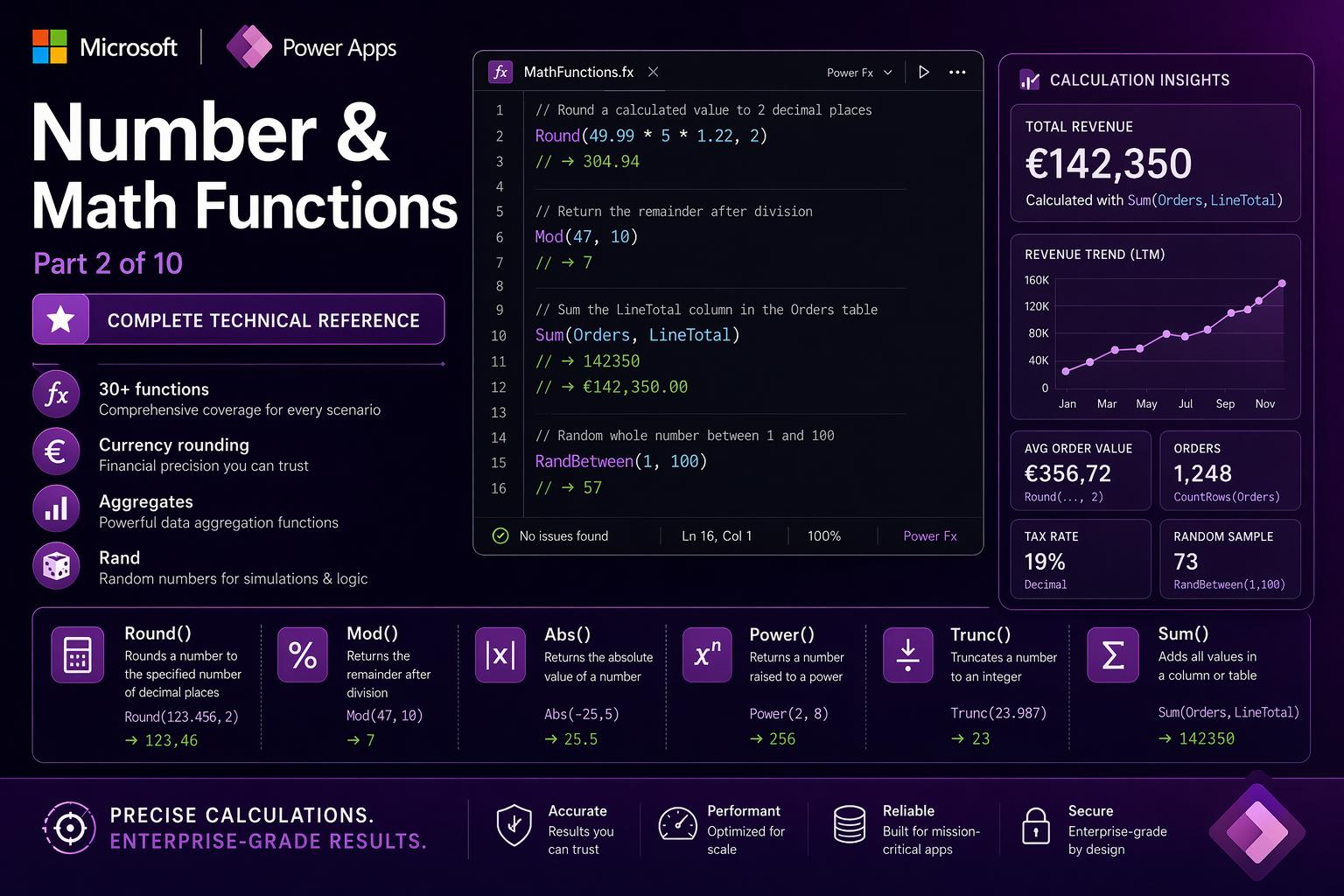
- Part 2 — Number & Math Functions (this post)
- Part 3 — Logical & Conditional Functions
- Part 4 — Table & Record Functions
- Part 5 — Date & Time Functions
- Part 6 — Navigation, App Control & Forms
- Part 7 — Variables, Collections & Data Sources
- Part 8 — Color, Type Conversion, AI & Signals
- Part 9 — Utility, Testing & Context Keywords
- Part 10 — Master Index, Delegation Table & Performance Patterns
Number & Math in Power Fx
Numbers in Canvas Apps are deceptively straightforward until production shows you the gaps. A currency calculation that produces 304.93800000001 instead of 304.94. A pagination formula that loses the last page. A Dataverse write that fails because you passed a decimal to a Whole Number column. These are not edge cases — they happen in every real project.
This section covers the complete numeric toolkit: rounding strategies, integer conversion, aggregate functions, statistical functions, the full trigonometric suite, and the two functions that nobody thinks about until they need them (Dec2Hex and Hex2Dec). For each function you get the signature, the explanation, the examples, and the one thing that will trip you up if you don’t know about it.
📌 Numeric types in Power Fx
Canvas Apps work with a single Number type covering both integers and decimals. There is no separate int or float at the Power Fx level. However, when writing to Dataverse columns, the column type matters — a Whole Number column rejects a decimal. Always Round or Trunc before patching to integer columns. Numbers from HTTP connectors often arrive as text strings — use Value() to convert before arithmetic.
Abs
Abs(number: Number) → NumberReturns the absolute value of a number — removes the sign and always returns a non-negative result. Useful whenever you care about the magnitude of a difference, not its direction: how far apart two values are, how large a deviation is, how much a metric changed regardless of whether it went up or down.
When to use it: flagging KPI deviations beyond a threshold in either direction, displaying how overdue a task is without a negative number, computing variance from a budget without caring about direction.
Abs(-42)— returns42Abs(42)— returns42(already positive)Abs(TemperatureSlider.Value - TargetTemp)— deviation magnitude in either directionAbs(DateDiff(Today(), DueDate, TimeUnit.Days))— days to/from deadline, always positive
⚠️ Watch out: Abs discards the sign completely. If you need both magnitude and direction — “3 days overdue” vs. “5 days remaining” — compute the raw signed value first, use If to pick the label, then Abs for the displayed number.
🔗 Works well with — Abs + DateDiff — overdue/remaining indicator with direction
The cleanest pattern for task status labels. Compute the raw difference once with With, then branch on its sign.
// Gallery row label — human-readable status:
With(
  {daysLeft: DateDiff(Today(), ThisItem.DueDate, TimeUnit.Days)},
  If(
    daysLeft < 0, "⛔ " & Abs(daysLeft) & " days overdue",
    daysLeft = 0, "⚡ Due today",
    "✅ " & daysLeft & " days remaining"
  )
)
🔗 Works well with — Abs — KPI deviation heat map
Color a KPI card red/amber/green based on how far the actual value strays from target, in either direction.
// KPI card Fill property:
Switch(
  true,
  Abs(ActualValue - TargetValue) / TargetValue > 0.15, RGBA(207, 52, 52, 1),  // >15% → red
  Abs(ActualValue - TargetValue) / TargetValue > 0.05, RGBA(255, 185, 0, 1),  // >5%  → amber
  RGBA(16, 124, 16, 1)                                                          // ≤5%  → green
)
Round / RoundUp / RoundDown
Round(number: Number, decimalPlaces: Number) → Number
RoundUp(number: Number, decimalPlaces: Number) → Number
RoundDown(number: Number, decimalPlaces: Number) → Number
Three rounding strategies. Round uses standard half-up rounding. RoundUp always rounds away from zero (ceiling). RoundDown always rounds toward zero (floor). The decimalPlaces parameter controls precision — use 0 for nearest integer, negative values to round to tens or hundreds.
Why rounding matters in financial calculations: floating-point arithmetic in computers is binary, not decimal. 0.1 + 0.2 is actually 0.30000000000000004 in IEEE 754 floating-point. Multiply 49.99 × 5 × 1.22 and you may get 304.93800000001 instead of 304.94. Always round currency results to 2 decimal places immediately after the final multiplication.
Round(2.567, 2)— returns2.57Round(1234.56, -2)— returns1200(rounds to nearest hundred)RoundUp(7.1, 0)— returns8(ceiling — always up for positives)RoundUp(11/10, 0)— returns2(pages needed for 11 items at 10 per page)RoundDown(7.9, 0)— returns7(floor — always down for positives)
⚠️ Watch out: RoundUp rounds away from zero, not always upward mathematically. RoundUp(-2.1, 0) returns -3, not -2. For financial apps, clarify which rounding mode is contractually required — some billing systems specify banker’s rounding (round half to even) which Power Fx does not natively support.
🔗 Works well with — Round — currency calculation without floating-point drift
// Line total with VAT — always round the final result:
Round(
  Quantity.Value * UnitPrice.Value * (1 + VATRate.Value),
  2
)
// 5 × 49.99 × 1.22 → Round 2dp → 304.94
// Without Round: 304.93800000001 (floating-point noise stored in Dataverse)
🔗 Works well with — RoundUp — pagination: how many pages does N records need?
RoundUp is the correct rounding for “how many containers do I need” — pages, batches, trucks.
Set(varTotalPages, RoundUp(CountRows(colFilteredResults) / varPageSize, 0))
// 47 records ÷ 10 per page = 4.7 → RoundUp → 5 pages
// Without RoundUp: Int(4.7) = 4 pages — last 7 records silently lost
Int / Trunc
Int(number: Number) → Number
Trunc(number: Number, decimalPlaces?: Number) → Number
Both remove the decimal portion of a number. They differ on negative numbers: Int rounds toward negative infinity (Int(-3.7) = -4), while Trunc truncates toward zero (Trunc(-3.7) = -3). For positive numbers they are identical. For business apps, Trunc almost always matches what developers intuitively expect.
Int(3.7)— returns3Int(-3.7)— returns-4(toward negative infinity)Trunc(3.7)— returns3Trunc(-3.7)— returns-3(toward zero)Trunc(3.14159, 2)— returns3.14(Trunc accepts decimalPlaces too)
⚠️ Watch out: For business apps dealing with money or quantities, almost always use Trunc rather than Int. Int(-2.3) = -3, not -2 — this surprises developers expecting “just drop the decimals”. The only time you want Int explicitly is mathematical floor division.
🔗 Works well with — Trunc — safe conversion before Patch to a Whole Number column
Dataverse Whole Number columns reject decimal values — Patch fails with a type error. Always Trunc (or Round) first.
Patch(
  InventoryItems,
  SelectedItem,
  {
    StockQuantity: Trunc(Value(QuantityInput.Text), 0),  // "42.7" → 42
    ReorderLevel:  Trunc(ReorderSlider.Value, 0)          // 5.5 → 5
  }
)
Sqrt / Power / Exp / Ln / Log
Sqrt(number: Number) → Number
Power(base: Number, exponent: Number) → Number
Exp(number: Number) → Number
Ln(number: Number) → Number
Log(number: Number, base?: Number) → Number
Scientific and engineering math functions. Sqrt computes the square root. Power raises a base to an exponent (identical to the ^ operator). Exp returns e (Euler’s number, ≈2.71828) raised to a power. Ln is the natural logarithm (base e), the inverse of Exp. Log returns the logarithm in any base — default base 10.
Sqrt(225)— returns15Power(2, 10)— returns1024Power(9, 0.5)— returns3(square root via Power)Log(1000, 10)— returns3Log(8, 2)— returns3(8 = 2³)Exp(1)— returns2.71828...(the constant e)
⚠️ Watch out: Sqrt of a negative number returns an error — Power Fx has no complex number support. Guard with If(n >= 0, Sqrt(n), 0) on user input. Ln(0) and Log(0) are undefined — guard with If(n > 0, Log(n), Blank()).
🔗 Works well with — Power — compound interest and growth projection
Calculate the future value of an investment or a growing metric. The standard formula is FV = Principal × (1 + Rate)^Years.
// Future value label — compound growth display:
Text(
  Round(
    PrincipalSlider.Value * Power(1 + RateSlider.Value, YearsSlider.Value),
    2
  ),
  "[$€-it-IT]#,##0.00"
)
// €10,000 at 5% for 10 years → €16,288.95
Dec2Hex / Hex2Dec
Dec2Hex(number: Number, places?: Number) → Text
Hex2Dec(text: Text) → Number
Convert between decimal (base 10) integers and hexadecimal (base 16) text representations. Hexadecimal — hex — uses digits 0–9 and letters A–F to represent values. It is used everywhere in color codes (CSS hex colors like #742774), binary protocol fields, IoT device identifiers, and network packet inspection.
Dec2Hex(255)— returns"FF"Dec2Hex(255, 6)— returns"0000FF"(zero-padded to 6 places)Dec2Hex(16711680)— returns"FF0000"(pure red in RGB hex)Hex2Dec("FF")— returns255Hex2Dec("742774")— returns7614324(decimal of Power Apps purple)
⚠️ Watch out: Dec2Hex accepts only non-negative integers. A decimal or negative number returns an error — always Trunc and validate >= 0 first. Hex2Dec is case-insensitive — both "FF" and "ff" work.
🔗 Works well with — Dec2Hex — build a hex color string from RGB sliders
A pattern for theme-builder or brand-settings screens where admins adjust RGB sliders and see the resulting hex code update live.
// Color preview label — shows hex code from three sliders:
"#" &
Dec2Hex(RoundDown(RedSlider.Value, 0), 2) &
Dec2Hex(RoundDown(GreenSlider.Value, 0), 2) &
Dec2Hex(RoundDown(BlueSlider.Value, 0), 2)
// Red=114, Green=39, Blue=116 → "#722774"
// The ,2 parameter zero-pads single-digit values: "0A" not "A"
Mod
Mod(dividend: Number, divisor: Number) → NumberReturns the remainder after dividing the dividend by the divisor. The result always has the same sign as the divisor. Three core use cases: round-robin distribution (cycle through N options based on position), even/odd detection (remainder of division by 2), and alternating row patterns in galleries.
Mod(7, 3)— returns1(7 ÷ 3 = 2 remainder 1)Mod(4, 2)— returns0(even number — remainder is 0 for all even numbers)Mod(ThisItem.ItemIndex, 2)—0for even gallery rows,1for odd
⚠️ Watch out: Mod(n, 0) throws a divide-by-zero error. Validate the divisor when it comes from user input. Power Fx follows the mathematical Mod definition (result sign matches divisor) — not the C/JavaScript remainder definition. For positive divisors (the common case) this makes no difference.
🔗 Works well with — Mod — alternating row colors in a gallery (no data source column needed)
// Gallery template Fill property — zebra striping:
If(
  Mod(ThisItem.ItemIndex, 2) = 0,
  RGBA(240, 244, 255, 1),   // even rows: light blue-gray
  RGBA(255, 255, 255, 1)    // odd rows: white
)
// ItemIndex is provided automatically by the gallery — no extra column needed
🔗 Works well with — Mod + Index — round-robin ticket assignment
Distribute incoming tickets evenly across N agents based on the ticket’s sequential ID. Deterministic, stateless — no database lookup needed.
// Assign to one of 5 agents based on ticket ID:
With(
  {agentIndex: Mod(Value(TicketIDLabel.Text), 5)},
  Index(colAgents, agentIndex + 1).FullName
)
// Mod returns 0–4; Index is 1-based so +1 corrects the offset
// Ticket 0 → Agent 1 ... Ticket 4 → Agent 5 ... Ticket 5 → Agent 1 (cycles)
Sum / Average / Max / Min / StdevP / VarP
Sum(table: Table, formula: Number) → Number
Average(table: Table, formula: Number) → Number
Max(table: Table, formula: Number) → Number   [also: Max(n1, n2, ...) → Number]
Min(table: Table, formula: Number) → Number   [also: Min(n1, n2, ...) → Number]
StdevP(table: Table, formula: Number) → Number
VarP(table: Table, formula: Number) → Number
Aggregate functions — they evaluate a numeric expression for every row in a table and reduce all results to a single number. All six accept either a table + formula, or a direct comma-separated list of numbers. These are the foundation of every dashboard, KPI card, and reporting screen.
Sum— total of all valuesAverage— arithmetic mean (sum ÷ count)Max— highest value;Max(a, b)returns the larger of two numbers — useful as a clampMin— lowest value;Min(a, b)— useful as an upper bound clampStdevP— population standard deviation (how spread out the values are)VarP— population variance (square of standard deviation)
Sum(Orders, LineTotal)— total revenueAverage(ProjectTasks, EstimatedHours)— mean hours per taskMax(Products, Price)— most expensive productMax(0, Value(PriceInput.Text))— clamp: returns 0 if user types negativeMin(CartQty, MaxStock)— cannot exceed available stockSum(5, 10, 15)— returns30(direct form, no table)
⚠️ Watch out: Delegation matters here. For Dataverse, Sum, Average, Max, and Min are delegable on numeric columns — the server computes the result regardless of table size. For SharePoint, they are not delegable. For large SharePoint lists, pre-aggregate in a scheduled Power Automate flow and store the result in a summary record that the app reads.
🔗 Works well with — Sum + Filter — conditional aggregate (SQL SUMIF equivalent)
Compute conditional totals by filtering first, then aggregating. Load these in parallel with Concurrent for fastest dashboard load.
// Dashboard KPI cards loaded in parallel:
Concurrent(
  Set(varTotalRevenue,    Sum(Orders, LineTotal)),
  Set(varPendingRevenue,  Sum(Filter(Orders, Status = "Pending"),   LineTotal)),
  Set(varCompletedRev,    Sum(Filter(Orders, Status = "Completed"), LineTotal)),
  Set(varAvgOrderValue,   Round(Average(Orders, LineTotal), 2)),
  Set(varLargestOrder,    Max(Orders, LineTotal))
)
🔗 Works well with — Max + Min — value clamping (the guardrail pattern)
Chain Max and Min to clamp a value within a range without any Condition steps.
// Clamp discount between 0% and 25%:
Max(0, Min(25, Value(DiscountInput.Text)))
// -5 → Max(0, -5) = 0
// 30 → Max(0, 25) = 25
// 15 → Max(0, 15) = 15

// Clamp cart quantity to available stock:
Max(1, Min(AvailableStock, QuantitySlider.Value))
// Always at least 1, never exceeds available stock
Rand / RandBetween
Rand() → Number
RandBetween(bottom: Number, top: Number) → Number
Rand returns a random decimal between 0 (inclusive) and 1 (exclusive). RandBetween returns a random integer between two bounds — both bounds are inclusive. Both functions are volatile: they recalculate every time Power Apps re-evaluates any formula, which happens frequently.
Rand()— returns something like0.73428(changes constantly)RandBetween(1, 6)— random integer 1–6 inclusive (dice roll)RandBetween(1, 10)— random integer, 1 and 10 both possible
⚠️ Watch out: Rand() and RandBetween recalculate on every formula evaluation — which happens on every user interaction, timer tick, or data change. Never put them directly in a gallery Items property or a label Text — the value will flicker and change constantly. Capture the value in a variable with Set(varRandom, RandBetween(1, 100)) from a button’s OnSelect, then use the variable.
🔗 Works well with — RandBetween + Set — stable random assignment on button press
// "Assign randomly" button OnSelect:
Set(
  varAssignedAgent,
  Index(colAvailableAgents, RandBetween(1, CountRows(colAvailableAgents))).FullName
)
// Set captures the result — stays stable until button is pressed again
// Index is 1-based; RandBetween(1, N) naturally aligns with it
Pi
Pi() → NumberReturns the mathematical constant π (pi), approximately 3.14159265358979. Used in geometric calculations: area of circles, circumference, and converting between degrees and radians for the trigonometric functions below.
Pi()— returns3.14159265358979Pi() * Power(RadiusInput.Value, 2)— area of a circle (πr²)2 * Pi() * RadiusInput.Value— circumference (2πr)AngleInDegrees * Pi() / 180— convert degrees to radians
⚠️ Watch out: All Power Fx trigonometric functions work in radians, not degrees. If your data uses degrees, convert first: degrees × Pi() / 180 = radians. The convenience functions Radians() and Degrees() handle this conversion for you.
Trigonometric Functions
Sin(radians: Number) → Number
Cos(radians: Number) → Number
Tan(radians: Number) → Number
Asin(number: Number) → Number
Acos(number: Number) → Number
Atan(number: Number) → Number
Atan2(x: Number, y: Number) → Number
Degrees(radians: Number) → Number
Radians(degrees: Number) → Number
Cot(radians: Number) → Number
Acot(number: Number) → Number
A complete trigonometric suite. All angle inputs and outputs use radians by default. Degrees and Radians convert between systems. The inverse functions — Asin, Acos, Atan — return the angle whose trig value equals the input.
Sin(Pi() / 2)— returns1(sine of 90°)Cos(0)— returns1(cosine of 0°)Degrees(Pi())— returns180Radians(90)— returns1.5708...(π/2)Atan2(1, 1)— returns0.7854(π/4, the 45° diagonal)
⚠️ Watch out: Atan only handles angles in the range -π/2 to +π/2 (first and fourth quadrants). For angles across all four quadrants — the common case in 2D coordinate work — use Atan2(x, y) instead. It takes both coordinates and returns the correct angle for any direction.
🔗 Works well with — Sin + Cos — circular position calculation for custom SVG gauge controls
// X and Y position on a circle of radius R, at angle A degrees:
With(
  {angleRad: Radians(AngleSlider.Value)},
  {
    X: CenterX + Radius * Cos(angleRad),
    Y: CenterY + Radius * Sin(angleRad)
  }
)
// Used in field service apps with map overlays and SVG-based custom charts
Quick Reference — Number & Math Functions
| Function | Returns | Use when |
|---|---|---|
| Abs(n) | Number | Magnitude without sign — deviation, distance from target |
| Round(n, dec) | Number | Half-up rounding — always use for currency |
| RoundUp(n, dec) | Number | Ceiling — pages needed, containers required |
| RoundDown(n, dec) | Number | Floor — completed units, full batches |
| Int(n) | Number | Floor integer — toward negative infinity |
| Trunc(n, dec?) | Number | Truncate toward zero — safe for Dataverse Whole Number columns |
| Sqrt(n) | Number | Square root — guard negative inputs |
| Power(base, exp) | Number | Exponentiation — same as ^ operator |
| Exp(n) | Number | e to the power n — exponential growth/decay |
| Ln(n) | Number | Natural logarithm base e — guard n > 0 |
| Log(n, base?) | Number | Logarithm — default base 10, guard n > 0 |
| Dec2Hex(n, places?) | Text | Decimal to hex string — colors, protocols |
| Hex2Dec(text) | Number | Hex string to decimal — case-insensitive |
| Mod(n, d) | Number | Remainder — round-robin, alternating rows, pagination |
| Sum(table, formula) | Number | Total — delegable on Dataverse numeric columns |
| Average(table, formula) | Number | Mean — delegable on Dataverse |
| Max(table, formula) or Max(a,b) | Number | Maximum or minimum-clamp guard |
| Min(table, formula) or Min(a,b) | Number | Minimum or maximum-clamp guard |
| StdevP(table, formula) | Number | Population standard deviation — statistical spread |
| VarP(table, formula) | Number | Population variance — square of StdevP |
| Rand() | Number | Random decimal 0–1 — capture in Set, never use in UI directly |
| RandBetween(lo, hi) | Number | Random integer — both bounds inclusive |
| Pi() | Number | π constant — for geometry and radians conversion |
| Sin / Cos / Tan | Number | Trig functions — input in radians |
| Asin / Acos / Atan | Number | Inverse trig — returns angle; use Atan2 for 4-quadrant |
| Atan2(x, y) | Number | Arctangent all 4 quadrants — correct for 2D coordinates |
| Degrees(rad) | Number | Radians to degrees |
| Radians(deg) | Number | Degrees to radians |
| Cot(rad) | Number | Cotangent (1/tangent) |
| Acot(n) | Number | Arccotangent |
What’s Next
Part 3 covers Logical & Conditional Functions — If, Switch, And, Or, Not, IsBlank, IsEmpty, Coalesce, IfError, IsType, AsType, and more. These are the decision-making tools that drive every form validation, access control rule, and conditional UI behavior in your app.
