


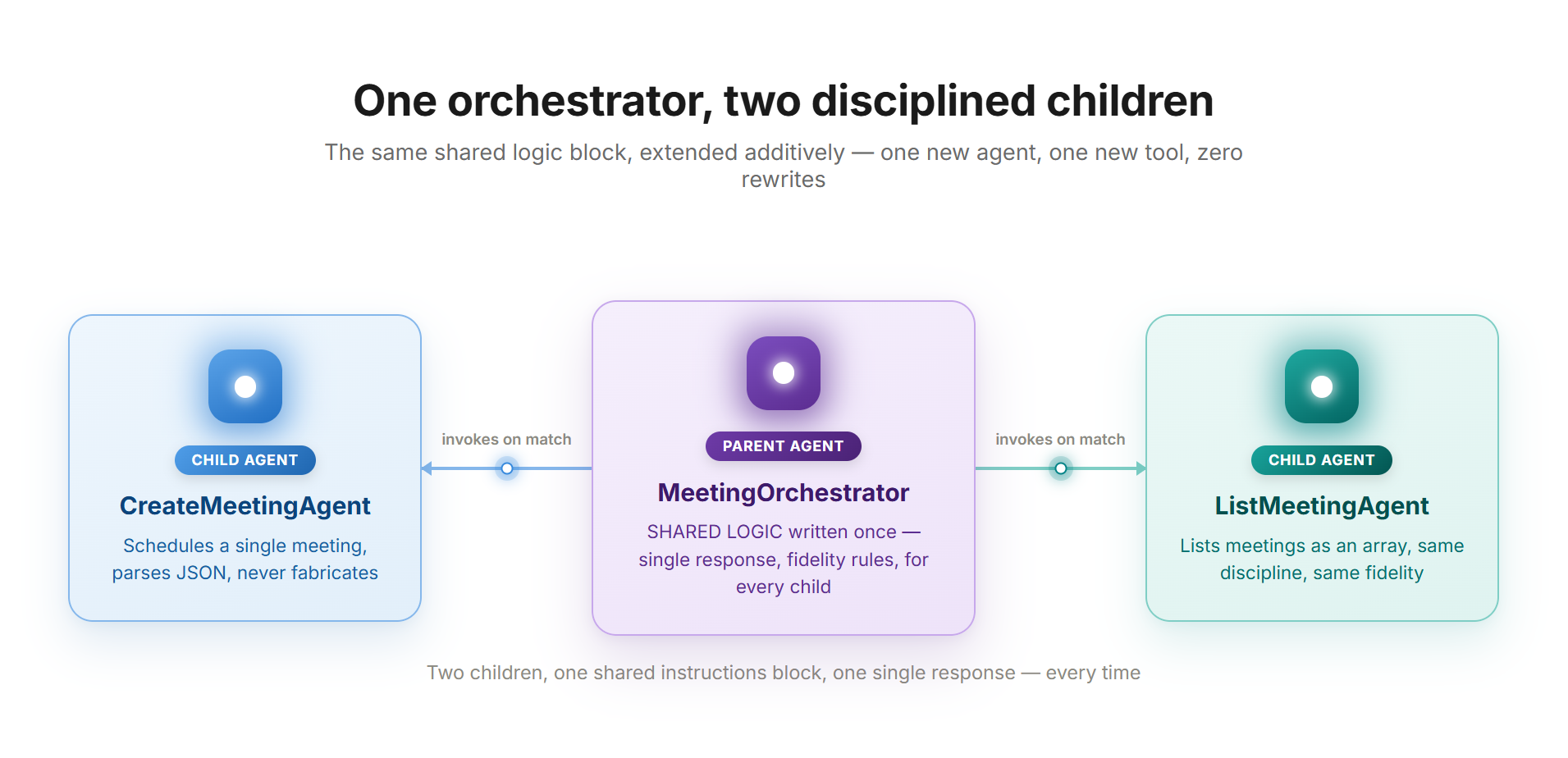
A pattern that only works once isn’t a pattern. This article takes the single-object build from the previous article and extends it to a list — a second child, a second tool — to prove the same four countermeasures hold up rather than being a one-off trick.
This is the third of three linked articles. The first, Why Your Copilot Studio Agent Talks Twice, covers the diagnosis. The second, The Single Meeting: Building the Pattern from Scratch, builds the complete pattern for a single object. This article extends it to a list.
What this assumes
This article assumes “The Single Meeting: Building the Pattern from Scratch” is already built and published: a parent agent MeetingOrchestrator, with a child agent CreateMeetingAgent already attached and running its own tool, CreateMeetingAction. Everything here builds directly on top of that rather than repeating it — read that article first if it isn’t in place yet.
The only structural difference this time: the payload is a list of records instead of one record, which raises a question worth answering before building anything. The new tool, ListMeetingsAction, could technically be added as a second tool on the existing CreateMeetingAgent, instead of standing up an entirely new child. A second child is the right call anyway — a single child juggling two tools and one instruction set is a flatter, less representative shape than what real multi-agent solutions look like once they grow past their first feature, and it’s also exactly the shape where the tool-visibility guardrail from the previous article stops being optional, because two similarly-described tools now exist side by side for the planner to potentially confuse.
Building the second child and its flow
The mechanic is identical to before: from MeetingOrchestrator’s Agents page, add a new child agent, named ListMeetingAgent, with this description:
Handles requests to list scheduled meetings. Calls a backend flow
that returns either a success result with a list of meetings, or
an error result with a failure reason. Use this agent whenever the
user wants to see, list, or check scheduled meetings.
The instructions follow the same shape as CreateMeetingAgent’s, with one addition worth calling out: fidelity now has to extend to list structure, not just field values. A model told to be faithful to a single object doesn’t automatically generalize that to “don’t silently drop the third item of a list” — that has to be said explicitly.
You are a subagent operating inside a multi-agent system. You never
communicate directly with the end user — the parent agent handles
all user-facing communication, always.

Your only responsibility is to call the ListMeetingsAction tool
when asked to list or check meetings.
IMPORTANT — the tool returns a field called "result" as a
JSON-formatted string (plain text containing JSON), not as a
structured object. You must always parse this string as JSON
before using it. After parsing, it contains: status, count,
meetings (an array of objects, each with meetingId, subject,
windowStart, windowEnd, organizer), and errorMessage.Pass the parsed fields to the parent agent exactly as received,
including the full meetings array with every element in its
original order — without modification, paraphrasing, omission, or
added commentary. This applies identically whether status is
"success" or "error".
Do not generate explanations, greetings, confirmations, or
summaries of any kind. Call the tool, parse the result, return
the parsed fields unchanged.If status is "success", do not omit, merge, summarize, or
reorder any element of the meetings array — return every element
exactly as received. If status is "error", do not rewrite,
soften, or omit the errorMessage — pass it through exactly as
received.CRITICAL — FIDELITY IS MANDATORY, NO EXCEPTIONS: never
fabricate, guess, embellish, or substitute any value not
literally present in the parsed JSON. Never invent additional
meetings beyond what the array contains, never drop meetings
that are present, and never alter count to disagree with the
actual array length. If errorMessage is generic or vague, pass it
through exactly as vague as it is.
You must never produce a final response message to the user
under any circumstance.✅ Don’t respond — same checkpoint as before
Confirm Don’t respond (default) in the child’s own Outputs section, then save.
From inside ListMeetingAgent, build the flow the same way: Tools → Add → Agent flow, save draft and name it ListMeetingsAction immediately. Initialize a variable MeetingListResult (type Object) right after the trigger, then a Compose action OutcomeSeed with rand(1, 3). Branch with a Condition named IsListSuccessful testing whether that number equals 1.
On success, a Set variable action writes an array instead of a single record:
{
  "status": "success",
  "count": 3,
  "meetings": [
    {
      "meetingId": "aaaaaaaa-0001-0001-0001-000000000001",
      "subject": "Weekly Sync",
      "windowStart": "2026-06-22T09:00:00Z",
      "windowEnd": "2026-06-22T09:30:00Z",
      "organizer": "diego@meetingorchestrator.test"
    },
{
"meetingId": "aaaaaaaa-0002-0002-0002-000000000002",
"subject": "Budget Review",
"windowStart": "2026-06-23T14:00:00Z",
"windowEnd": "2026-06-23T15:00:00Z",
"organizer": "priya@meetingorchestrator.test"
},
{
"meetingId": "aaaaaaaa-0003-0003-0003-000000000003",
"subject": "Client Onboarding",
"windowStart": "2026-06-24T11:00:00Z",
"windowEnd": "2026-06-24T11:45:00Z",
"organizer": "tomas@meetingorchestrator.test"
}
],
"errorMessage": null
}On failure:
{
  "status": "error",
  "count": 0,
  "meetings": [],
  "errorMessage": "We weren't able to retrieve the meeting list due to a system issue on our end."
}
💡 The one structural difference
Absence of data here is an empty array, not null — the natural way to represent “a list with nothing in it.” The count field exists so the model can treat “zero results” as a fact it was handed, rather than counting array elements itself.
Rename Respond to the agent to RespondWithMeetingList, add the output result as Text with value @{variables('MeetingListResult')}, and publish. Back on ListMeetingAgent, attach the flow as a tool the same way as before — Tools → Add → Flow filter → search by name → Add and configure.
The description needs writing:
Lists scheduled meetings via backend flow. Takes no required
input. Returns a "result" field as a JSON-formatted string.
Always parse it as JSON. The parsed object has status, count,
meetings (array), and errorMessage. On error, meetings is empty
and errorMessage contains the failure reason.
⚠️ This guardrail matters more now
Clear Allow agent to decide dynamically when to use this tool — this matters more here than it did the first time, since two flow-backed tools with overlapping wording (“schedule a meeting” and “list meetings”) now exist in the same solution, which is exactly the kind of pair the planner can confuse if both are left independently callable.
Confirm Don’t respond in the tool’s own Completion settings, then set the output description:
This is a JSON-formatted string (plain text containing JSON, not
a structured object). Always parse it as JSON. After parsing, it
contains: status ("success" or "error"), count (number of
meetings found), meetings (an array of objects, each with
meetingId, subject, windowStart, windowEnd, organizer), and
errorMessage. On success, meetings contains the real list and
errorMessage is null. On error, meetings is an empty array,
count is 0, and errorMessage contains the exact, ready-to-show
failure message.
Save. The second child and its tool are now built in their entirety.
Extending the parent’s instructions
⚠️ Don’t touch what’s already there
Leave the SHARED LOGIC block and the CreateMeetingAgent block exactly as they are. Add only one new block beneath them:
# === CHILD: ListMeetingAgent ===
When the user wants to see, list, or check scheduled meetings,
invoke the ListMeetingAgent (runs the ListMeetingsAction tool).
On success, the data fields are: count, meetings (an array, each
with subject, windowStart, windowEnd, organizer).

When presenting a successful result, list every meeting
returned — do not summarize the count instead of listing them
individually, and do not omit, merge, or invent meetings. If
meetings is empty even though status is "success" (count is 0),
say there are currently no scheduled meetings.
# === END ===
This is the entire point of having written single-response discipline and fidelity into a SHARED LOGIC block once, rather than per child: adding a second child costs one small block, not a rewrite.
Testing both children together
Publish MeetingOrchestrator again and type “List my scheduled meetings” 6-8 times.
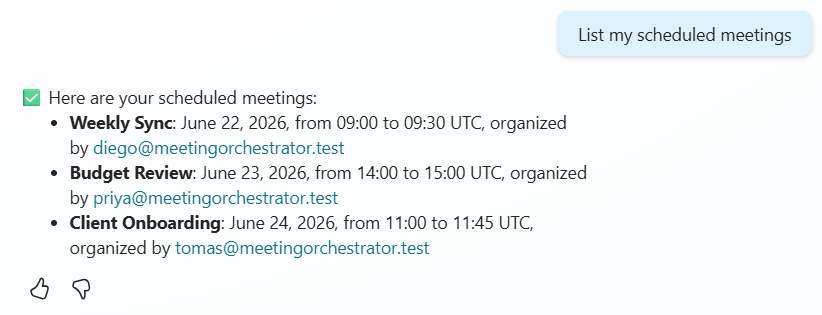
Test 1 — success
One message, opening with ✅, listing all three meetings individually — not summarized as a count, nothing merged or missing.
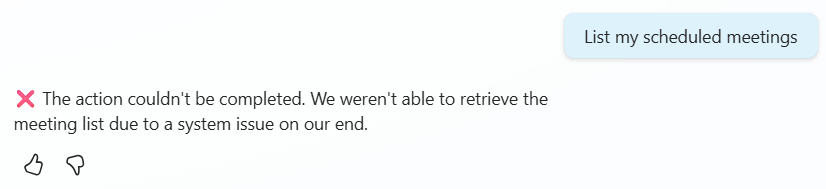
Test 2 — failure
One message, opening with ❌, showing the exact generic errorMessage.
Test 3 — single message
Across every run, on both children, still exactly one message per turn — adding a second child hasn’t reopened the double-message problem.
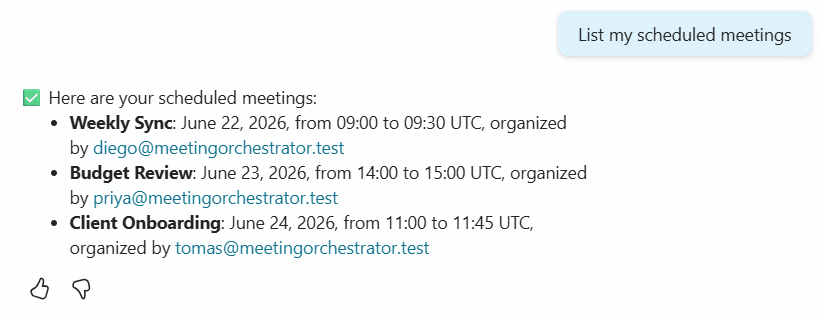
Test 4 — repeatability
Running the prompt several more times keeps producing the same two clean outcomes for the second child, same as the first.
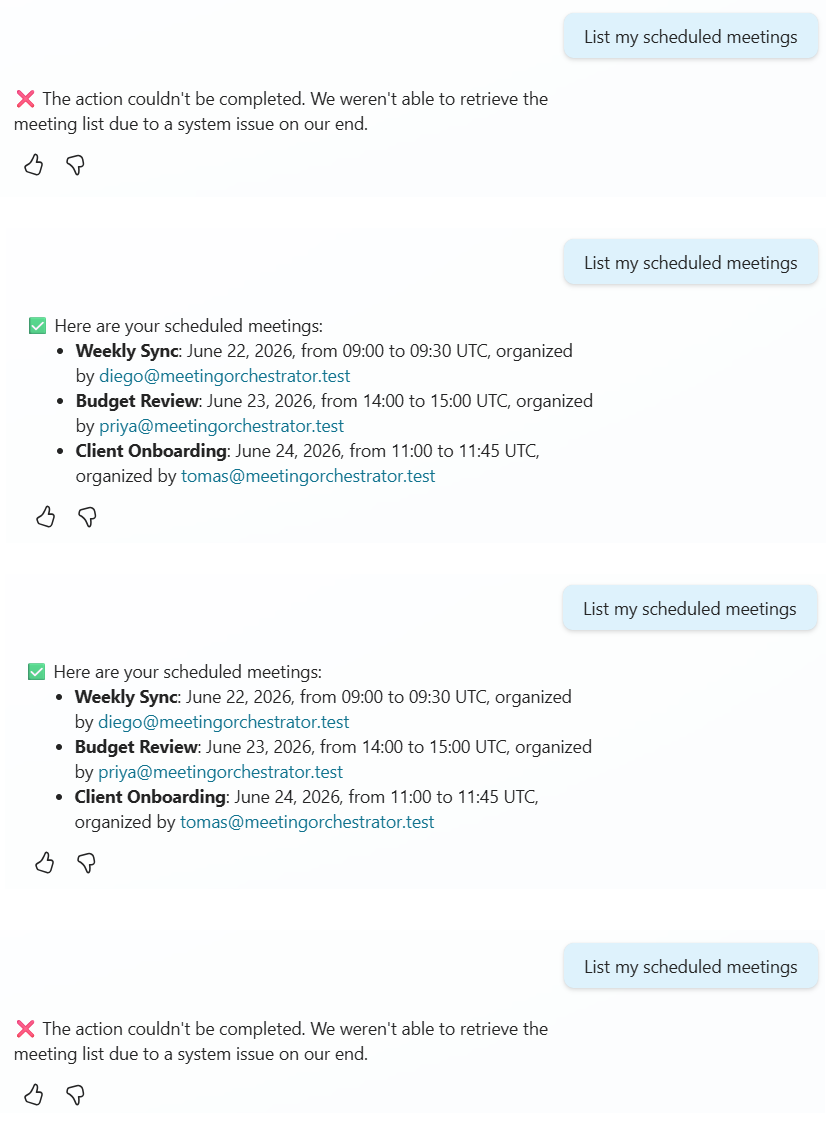
If all four hold up, the pattern is validated and ready to be adapted to a real backend.
A few things worth knowing as this scales
If a child agent’s tool pulls from a knowledge source that returns citations, Microsoft’s documentation notes those citations aren’t guaranteed to survive being passed back to a calling agent — not relevant to the flows built here, but worth knowing before extending this pattern to a child that answers from documents.
A newer orchestration engine — built around what Microsoft calls an Agentic Reasoning Loop — is rolling out as the new default for newly created agents. The mechanism this whole pattern works around (the parent treating gathered information as raw material for a fresh response rather than a final answer) is a property of generative orchestration broadly, not of one specific implementation, but it’s worth re-running the test battery rather than assuming it transfers unchanged if an environment has moved to the newer engine.
One practical limit: a single agent’s orchestrator can technically use up to 128 tools, though Microsoft recommends staying around 25-30 for reliable selection. Each child agent gets its own separate budget — one real benefit of splitting work into child agents in the first place.
Final checklist
- Both flows return a consistent field schema across success and error branches
- errorMessage in both flows is already phrased as a user-ready message
- “Don’t respond” verified at all three checkpoints, for both children: the child’s own Outputs section, the tool’s Completion settings, and the child as seen from the parent’s Agents tab
- “Allow agent to decide dynamically when to use this tool” cleared on both tools
- The CRITICAL — FIDELITY block appears in both children’s instructions and in the parent’s SHARED LOGIC block
- The parent’s instructions have SHARED LOGIC written once, plus one short, child-specific block per child
- Both children tested 6-8 times each on success and error, confirming exactly one message per turn and zero invented details
- The count-zero-but-status-success edge case has been considered for the array-based child
If every box is checked, both children are solid — the same pattern holding up twice, for a single object and for a list.
Everything built across these two exercises rests on the diagnosis in the first article: why “Don’t respond” needed reinforcing with a shared instructions block, why the success/error schema had to be identical on both branches, why JSON parsing gets explained in three separate places instead of one. For the full mechanical breakdown of why each piece is shaped the way it is, that’s where to look.
Why Your Copilot Studio Agent Talks Twice (And How to Make It Stop)
Two children, one voice — that’s not a coincidence. That’s the architecture working.